
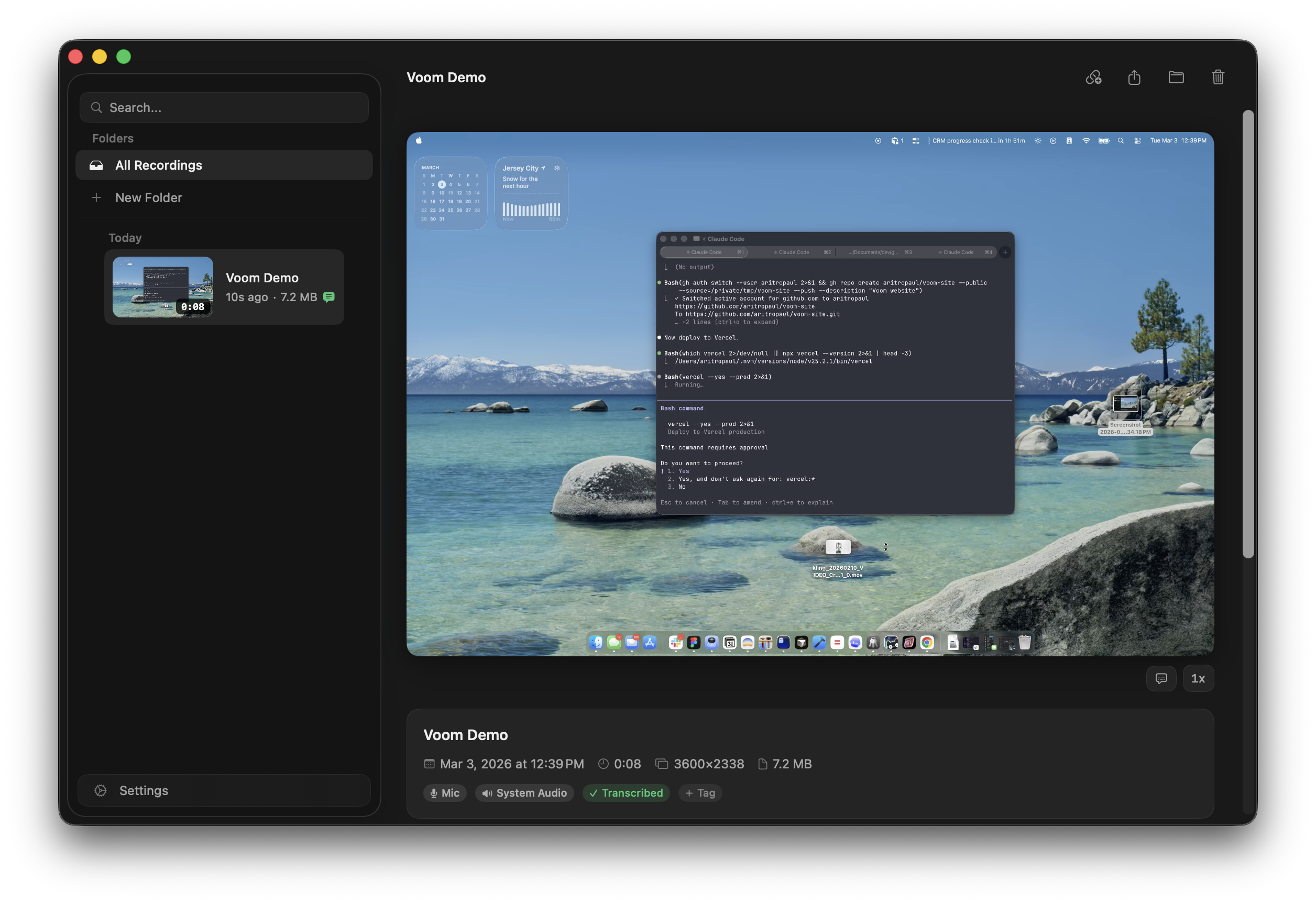
Screen + Camera + Mic
Full retina HEVC capture with picture-in-picture webcam, region selection, and system audio.
Drawing Tools
Annotate your screen live during recording. Freehand, arrows, shapes, and text.
Pause / Resume
Pause and resume recording without splitting files.
On-Device Transcription
Powered by WhisperKit (distil-large-v3), running entirely on your Mac. Nothing leaves your machine.
Trim, Cut, Stitch
Trim the start and end. Cut sections from the middle. Stitch multiple recordings together.
Filler Word Removal
Detect and remove "um", "uh", "like" from transcribed recordings. One click.
Folders, Tags, Search
Color-coded folders and tags. Full-text search across titles and transcripts.
Share via Link
Upload to your own Cloudflare account. Clean share page with video, live captions, and synced transcript.
Comments and Reactions
Timestamped comments and emoji reactions tied to specific moments.
Password Protection
Optionally require a password. Add a call-to-action button when the video ends.
View Notifications
Get a macOS notification when someone watches your recording.
Free, forever
Sharing runs entirely within Cloudflare's free tier. Workers (100k req/day), R2 (10 GB, zero egress), D1 (5 GB). No credit card required.
Voom vs Loom
Voom is free — Loom is $15/user/month. Voom is 5 MB — Loom is 200 MB of Electron. Voom transcribes on-device — Loom uploads to their servers. Drawing tools, trim, cut, stitch, filler word removal, password protection — all free. Loom charges extra.
Open source under MIT. Fork it, it's yours.
Native macOS
Swift and SwiftUI with ScreenCaptureKit, VideoToolbox for HEVC encoding, WhisperKit for transcription. Cloud sharing on Cloudflare Workers + R2 + D1. No Electron. No ffmpeg. ~5 MB.
Download or Build
Download the latest release, or build from source:
git clone https://github.com/aritropaul/voom.git
cd voom/Voom
open Voom.xcodeproj
Requires macOS 15+. Cloud sharing is optional — Voom works entirely offline.